 Nemorgi
01
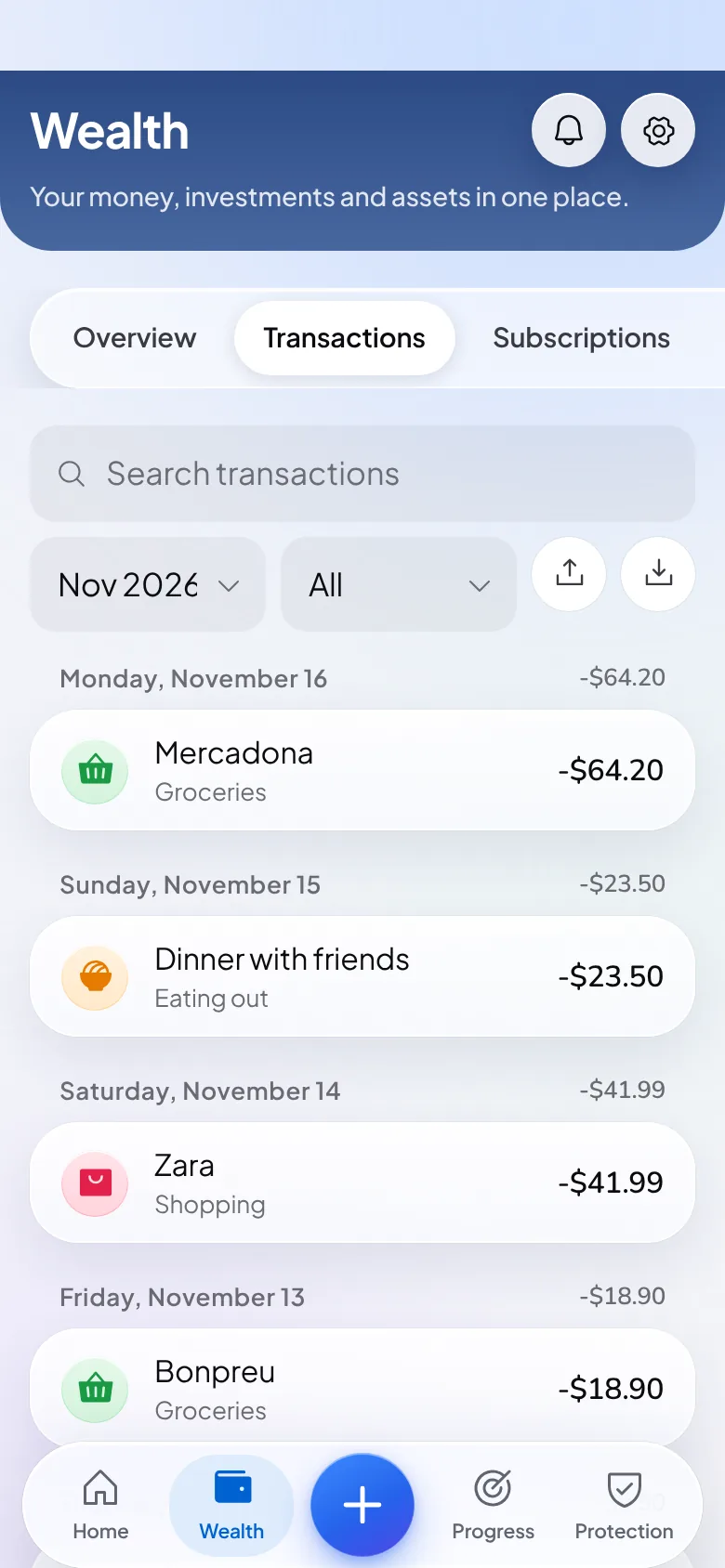
Two-tap logging
Amount, category, done. A floating button always within reach, usable one-handed.
Most finance apps fail the same way: they ask for too much up front. Nemorgi starts with one expense. After a week you see a pattern; after a month, where to cut without suffering.
Web, iPhone and AndroidTry it without an accountFree forever
$1,454saved this month
9subscriptions tracked
Sample dataHow it works
01
Amount, category, done. A floating button always within reach, usable one-handed.
02
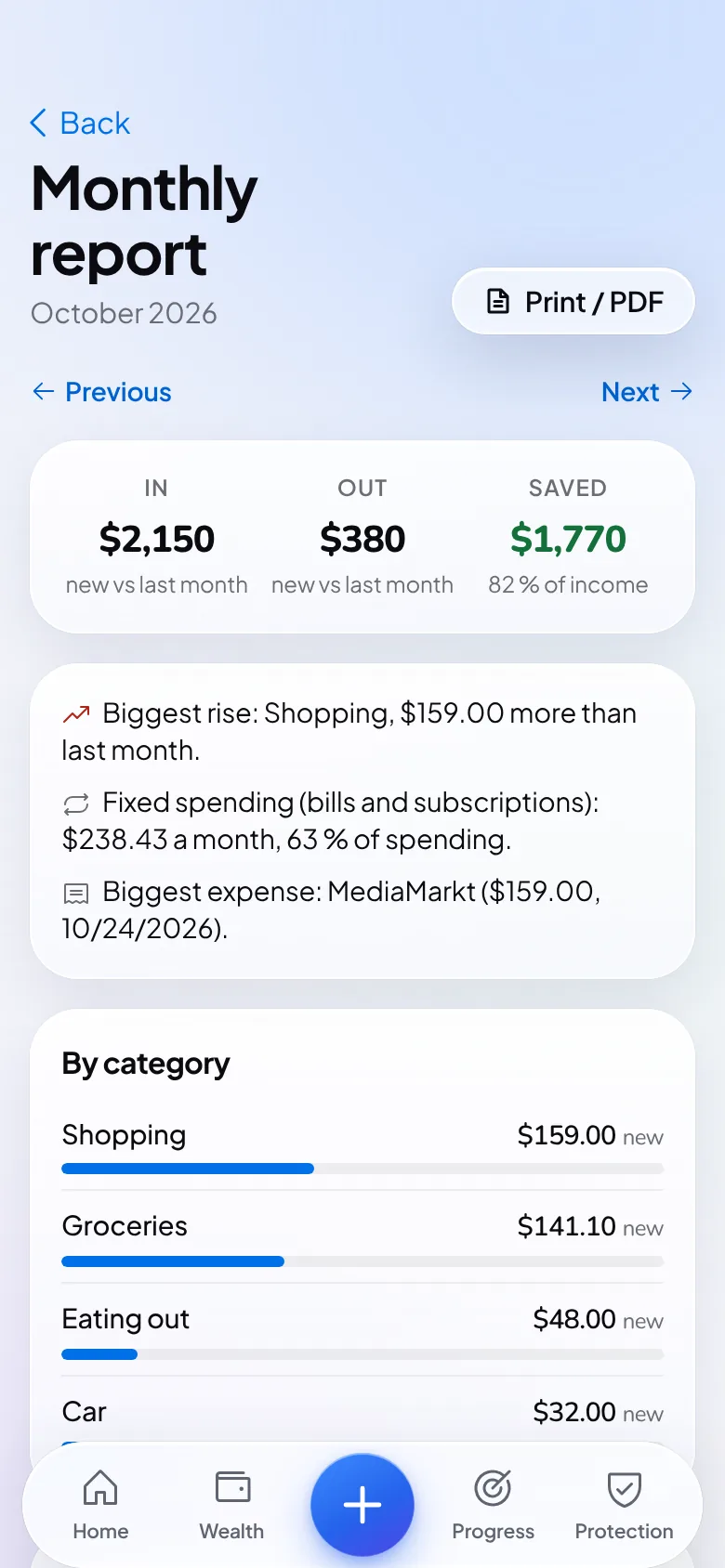
By category, day and month, against last month. Plus running spend with an estimate of how the month will close.
03
Set a cap per category and watch the bar fill, with a marker for today's date: if the bar is ahead of it, you're running hot.
No sign-up · runs in your browser
How much for bills, fun and savings based on your pay
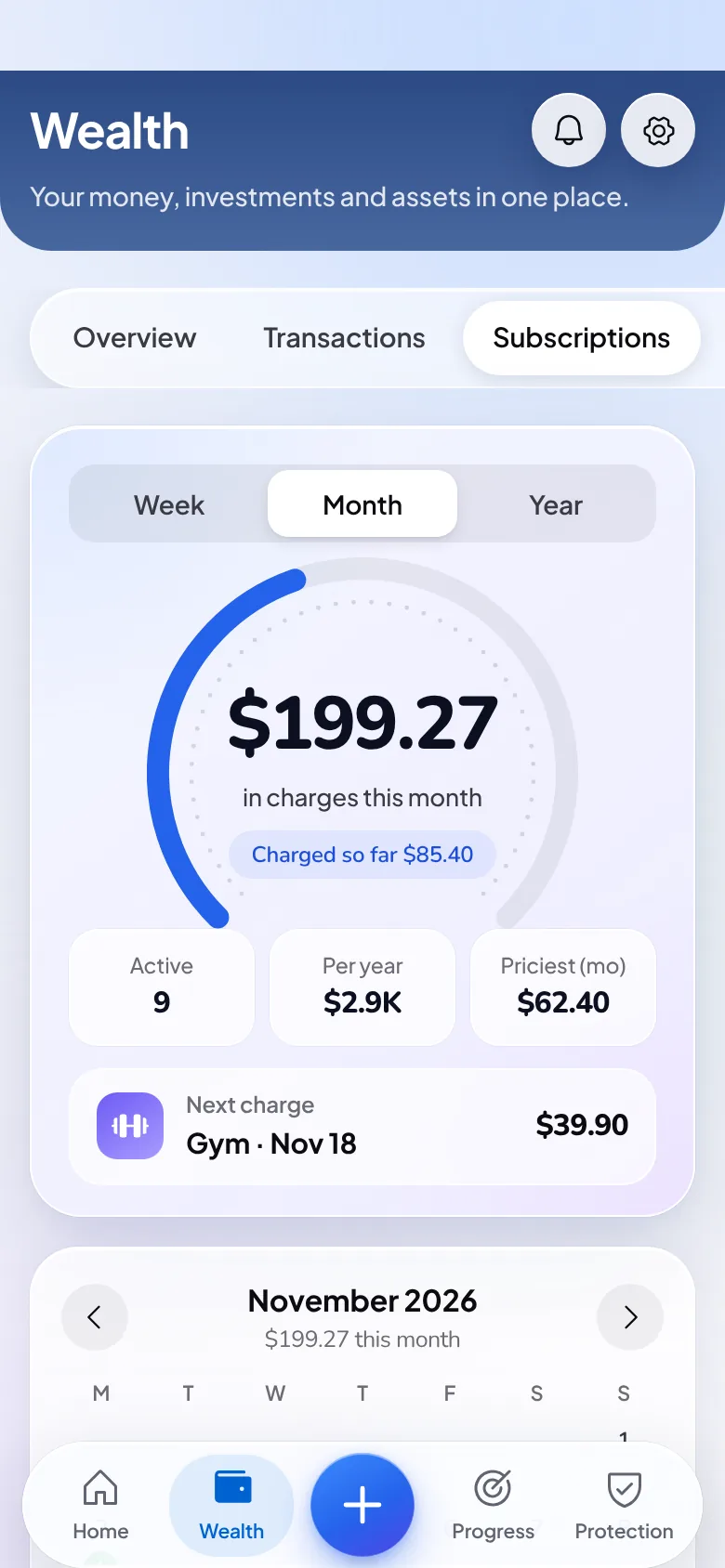
Your monthly and yearly subscription total
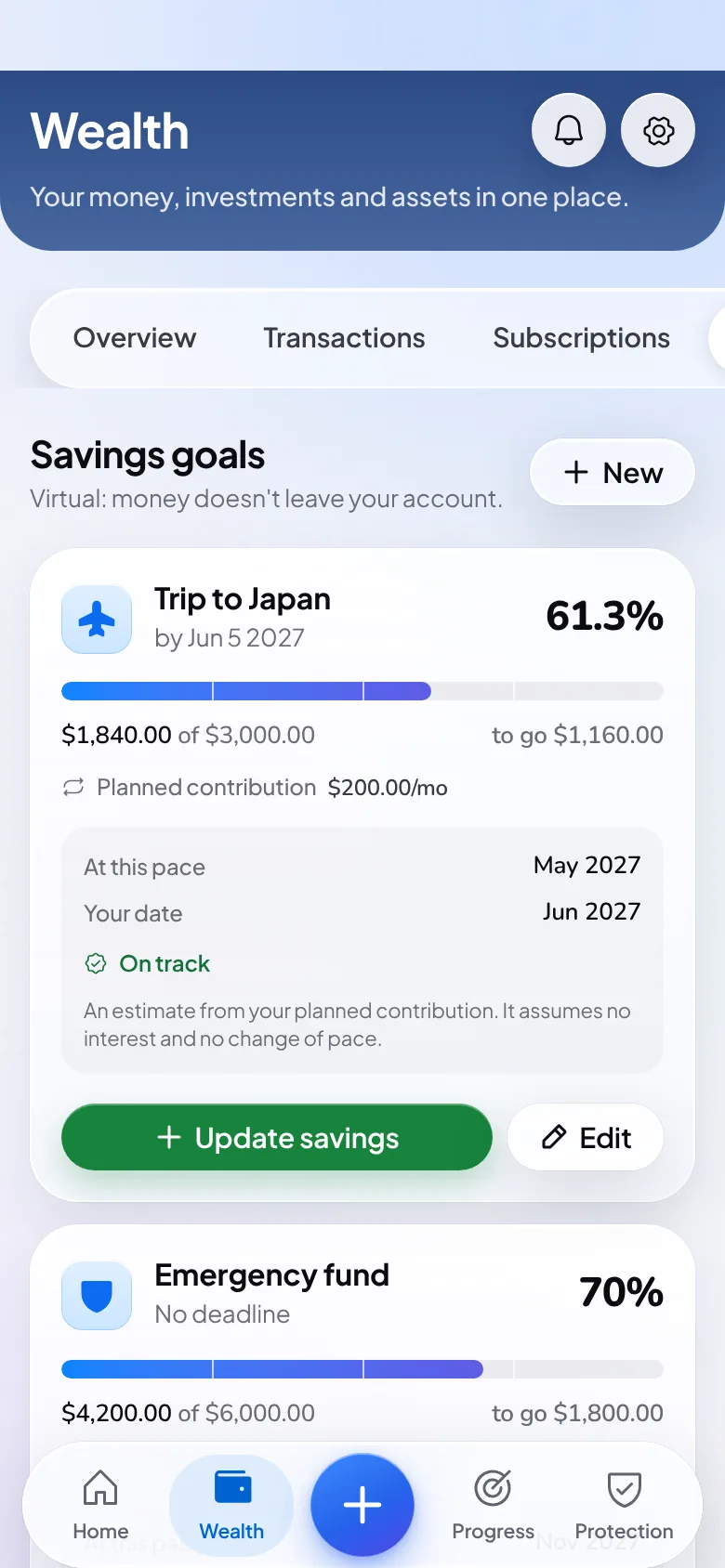
Your goal date, or how much to save each month
Spots what repeats by merchant, amount and interval and proposes it for you to confirm. It also flags increases.
Real app screenshots
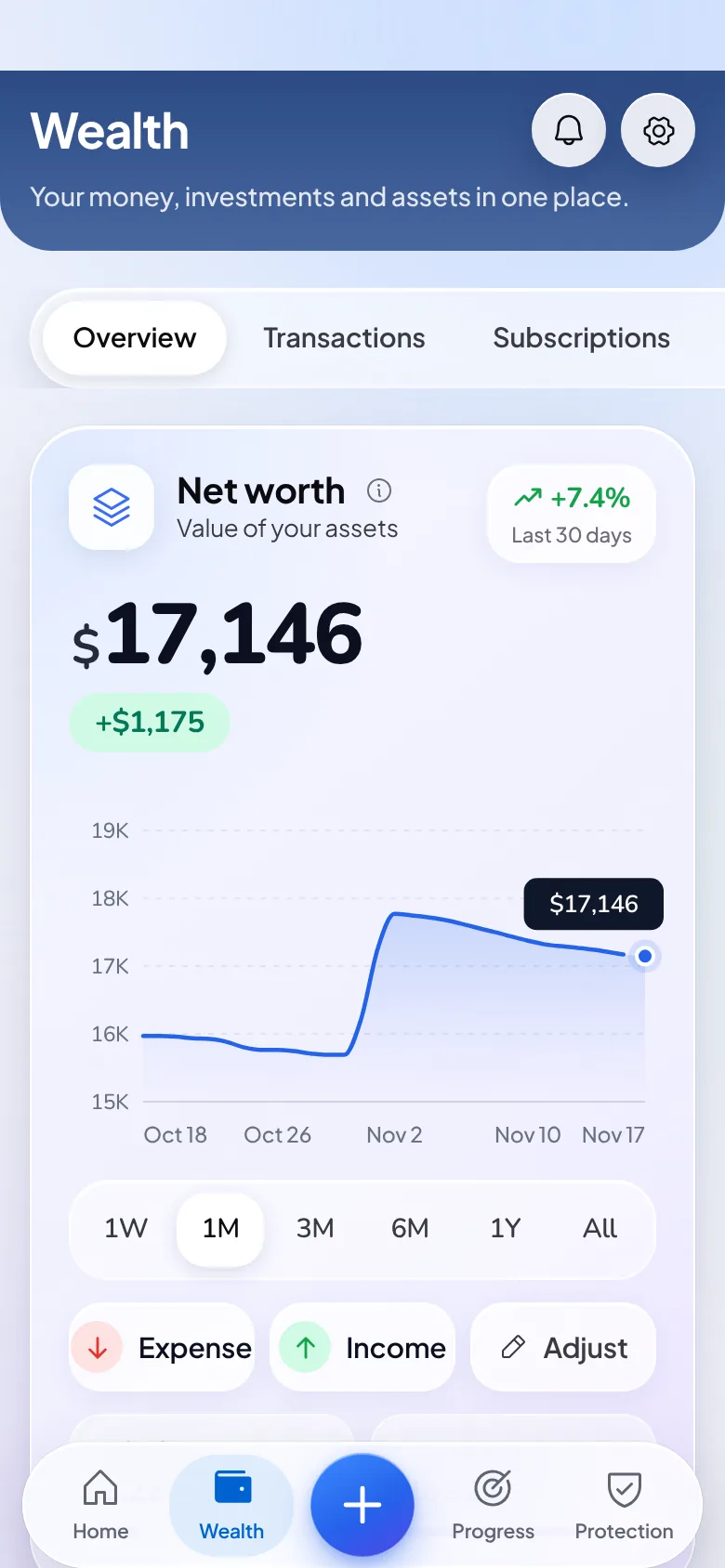
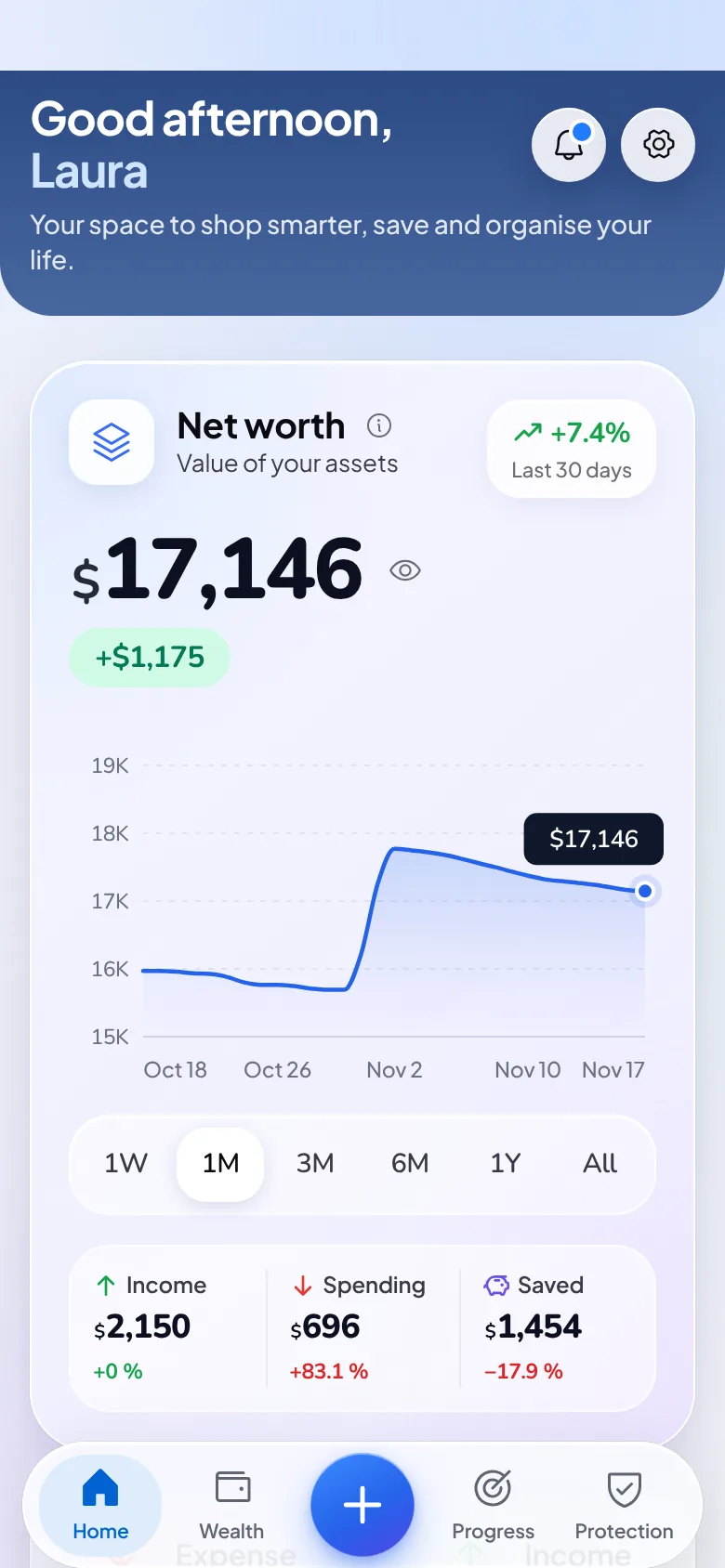
Swipe for more · Sample data
A budget only works if you look at it. Each category is a percentage bar with three states: green on track, amber near the limit, red over it. The vertical marker shows how far into the month you are.
Savings goals are explicitly virtual: the app doesn't move money out of your account, so it never shows as 'set aside' something still sitting in your current account.
Quick guide
You can't cut what you can't see. The first goal isn't a perfect budget, it's knowing where your money actually goes. Log expenses as they happen (two taps is enough) and after two or three weeks the patterns appear on their own.
Start simple with a handful of categories: home, food, transport, leisure and subscriptions. If you want a rule of thumb, the 50/30/20 split (needs, wants, savings) is a good starting point, and you can adjust it to your real life.
Recurring charges are where money leaks most quietly: subscriptions, free trials that renew and price rises you don't notice. Keep them in one list with their renewal date, review your spending once a week, and let budgets warn you at 80% instead of finding out at the end of the month.
A real one — the coffee, the groceries. In two weeks the app will tell you something you didn't know.
Start now